Android APK · Free Download
The j188 App puts cricket betting, live casino, slots and crash games on your phone. No Google Play needed — download the APK directly, allow one setting, and you're in. The file is 45 MB, takes under a minute on a 4G connection, and works on Android 7.0 and above.
File: j188.apk · Size: 45 MB · Version 3.4.19 · Free
on your phone
j188 App Safety & Permissions Explained
Before you install any APK outside Google Play, it's fair to ask what permissions it uses and how the file is verified. Here's exactly what the j188 App requests — and why.
No Hidden Permissions
The app only requests Internet access, storage access (to save your deposit receipts) and camera access (for document upload during account review). It does not request access to your contacts, call log, microphone or location. You can review all permissions in your phone's Settings → Apps → j188 at any time after installation.
Encrypted Traffic
All data between the app and j188 servers travels over TLS 1.3. Your bKash and Nagad transaction details are never stored in the APK file itself — they go directly through the payment gateway. The APK download link is served over HTTPS from j188.quest so the file you get is the same file we publish.
Verified Source Only
Only download the j188 APK from this page (j188.quest/j188-app/) or through the QR code above. Third-party APK mirror sites sometimes repackage files with added adware. If your phone's Play Protect scanner flags a third-party copy, that's why. Files from this page carry the official package signature and pass Play Protect cleanly.
What "Unknown Sources" Means
Android restricts APK installs from outside the Play Store by default — that's the "Unknown Sources" toggle you'll enable in Step 2 of installation. It's a per-app permission: you grant it to your browser or file manager only, not to every app on your phone. After installation you can turn it off again. This setting is standard for any direct APK install, not specific to j188.
System Requirements & Version Details
Check these before you download. The app runs on most Android phones sold in Bangladesh since 2018.
| Item | Details |
|---|---|
| App Version | 3.4.19 |
| File Name | j188.apk |
| File Size | 45 MB |
| Minimum Android Version | Android 7.0 (Nougat) or higher |
| Recommended Android Version | Android 10 or higher |
| iOS Support | Web app via browser (Add to Home Screen — see below) |
| Last Updated | 13 November 2026 |
| Price | Free |
| Languages | English, Bangla |
| Internet Required | Yes — mobile data or Wi-Fi |
Already have an older version? The app checks for updates automatically. You can also download the latest APK from this page at any time — your account and balance carry over.
Install the APK on Android
Five steps from zero to your first bet. The whole process takes about three minutes on a standard Bangladesh 4G connection.
-
Allow Unknown Sources
Go to Settings → Apps & Notifications → Special App Access → Install Unknown Apps (exact path varies by Android version). Find your browser — usually Chrome or the default Samsung browser — and tap "Allow from this source." You only need to do this once. This lets your phone accept APK files you download directly, instead of only from the Play Store.
-
Download the APK
Tap the Download APK button on this page. Your browser will save
j188.apk(45 MB) to your Downloads folder. On a typical 4G connection in Dhaka or Chittagong this takes under 60 seconds. If the file opens instead of saving, long-press the button and choose "Save link." Do not download from any other source. -
Open the File
Open your Downloads app or pull down your notification shade and tap the completed download. Android will show a prompt: "Do you want to install this application?" Tap Install. If you see a Play Protect warning, tap "Install Anyway" — this is normal for all APKs outside the Play Store and does not mean the file is unsafe.
-
Launch and Log In
Once installation finishes, tap Open. The j188 App loads your account login screen. If you already have an account, enter your registered mobile number and password. New user? Tap Register inside the app or visit the registration page first — it takes under two minutes. After login, your balance and bonus history sync automatically.
-
Turn Off Unknown Sources (Optional)
For extra security, go back to Settings → Apps → Your Browser → Install Unknown Apps and switch it off again. The j188 App is already installed — you do not need this permission to run it. Future app updates can be installed by downloading the new APK from this page and repeating Step 3 only. Your data is stored server-side, so reinstalling never erases your balance.
iOS: Add j188 to Your Home Screen
Apple does not allow direct APK installs. iPhone and iPad users can add j188 as a full-screen web app — it behaves like a native app once pinned.
-
Open Safari Go to j188.quest in Safari on your iPhone or iPad. The site is fully optimised for mobile — you get the same games and live odds as the Android app. Chrome and Firefox on iOS do not support Add to Home Screen, so use Safari for this step.
-
Tap the Share Icon Tap the Share button at the bottom of the screen (the box with an arrow pointing upward). Scroll down in the share sheet until you see "Add to Home Screen." Tap it.
-
Name and Confirm Edit the shortcut name to j188 if you like, then tap Add in the top-right corner. The j188 icon appears on your Home Screen just like any other app.
-
Open and Play Tap the icon to launch j188 in full-screen mode. Log in with your credentials or tap Register to create a new account. All features — deposits via bKash/Nagad, live casino, cricket betting — are available through the web app.
App vs Browser — What's Different
Both routes give you full access to games and banking. The app has a few practical advantages for daily use — here's the honest comparison.
| Feature | j188 App (Android APK) | Mobile Browser | Desktop Browser |
|---|---|---|---|
| Push Notifications (odds, bonuses) | Yes | No | No |
| bKash / Nagad one-tap deposit | Yes | Yes | Yes |
| Faster page load (cached assets) | Yes | Slower on 3G | Yes (broadband) |
| Fingerprint / PIN login | Yes | No | No |
| Live cricket score widget | Yes | No | No |
| Full game library access | All 3,500 games | All 3,500 games | All 3,500 games |
| Auto-update available | Yes (re-download APK) | Always latest | Always latest |
| Works offline | No (live data needed) | No | No |
The app is the best choice if you bet on cricket matches and want live score alerts. Browser works fine for occasional play. Either way, your account balance and bonus are identical.
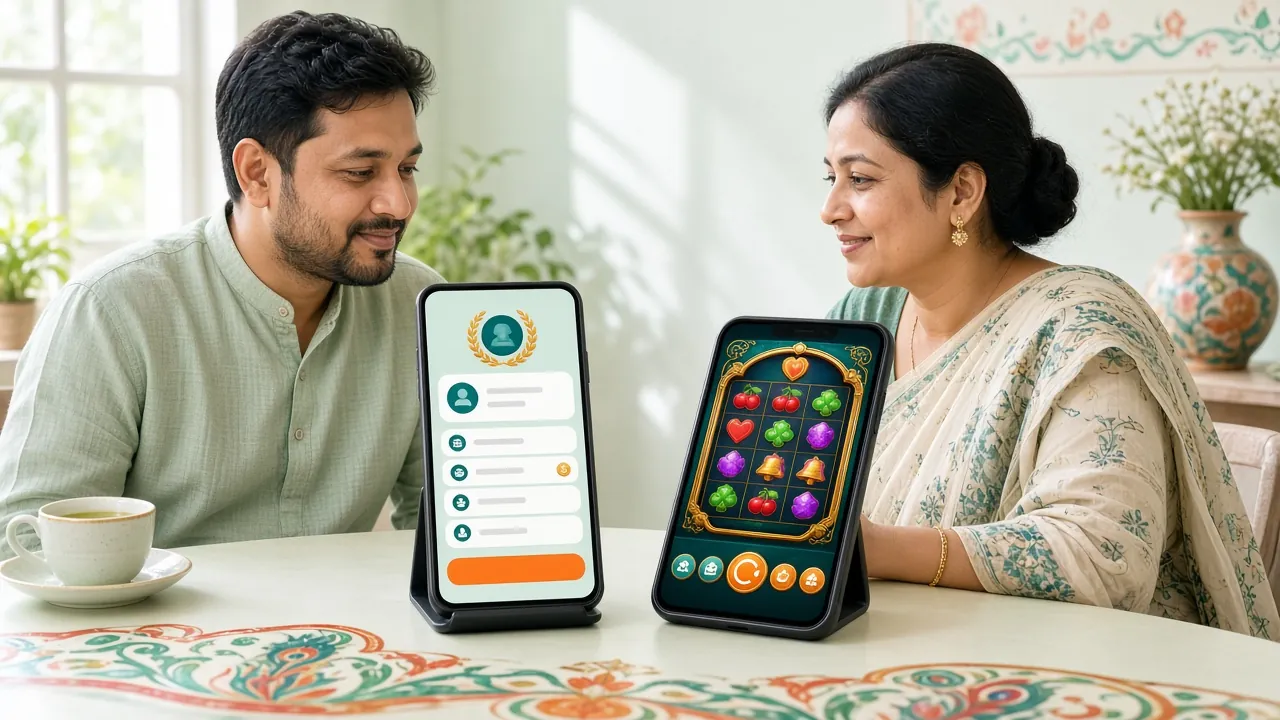
Play These Inside the j188 App
View Full CasinoOver 3,500 titles across six categories, all playable in the app. Here's what players in Bangladesh use most.
Cricket Betting
Bet on BPL, IPL, T20 World Cup and ODI series in real time. Live odds update ball by ball. The app sends a push notification when a new match opens so you never miss a session. Min bet ৳2 on most markets. Supported by 24/7 live chat if you need help reading a market.

Live Casino
Real dealers, real cards — Ezugi and Sexy Gaming tables stream in HD directly to your phone. Baccarat, roulette, Dragon Tiger and Andar Bahar are always open. Tables run 24/7 so you can join at 2 am during a Bangladesh powercut if data is available. Min bets start at ৳1.
Slots & Reels
JILI, PG Soft, Habanero and JDB slots load fast on the app — typically under 3 seconds on 4G. Fortune Mouse (RTP 97.5%), Ultra Treasure (RTP 97.4%) and Fortune Gems 2 (RTP 96.9%) are the top picks by Bangladesh players. All spin results are determined server-side, not by the APK.

Crash Games
Crash Goal by JILI (RTP 95.7%) is built for quick sessions — a single round lasts 10–60 seconds. Place your bet, watch the multiplier climb and cash out before the crash. The app's push notification tells you when a new round starts so you don't stare at the screen between rounds.
Fishing Games
Happy Fishing and 3 Gods Fishing are two of the most-played titles on the platform. Fishing games use tap controls optimised for touchscreens — the app version feels noticeably smoother than browser on older Realme and Symphony handsets common in Bangladesh. Min bet ৳1–৳5 depending on table.
Deposits & Withdrawals
Deposit via bKash, Nagad, Rocket or Bank Transfer without leaving the app. Minimum deposit ৳150, credited within 6 minutes. Withdrawals (minimum ৳1,300) process in about 37 minutes to bKash or Nagad. The app keeps a full transaction history. Need help? Tap the live chat icon — support is available around the clock.
Fix Common j188 App Installation Problems
Most install errors have a simple fix. Check the table below before contacting support.
| Problem | Likely Cause | Fix |
|---|---|---|
| "Install blocked" message | Unknown Sources not enabled for your browser | Go to Settings → Apps → [Your Browser] → Install Unknown Apps → Allow. Then tap the APK file again from Downloads. |
| Download stops at 60–80% | Weak mobile signal or data interruption | Switch to Wi-Fi or move to better signal coverage. Delete the partial file from Downloads, then tap Download APK again on this page. The download restarts from scratch. |
| "App not installed" after tapping Install | Older version of j188 APK already installed with a different signature, or low storage | Uninstall any existing j188 app first (Settings → Apps → j188 → Uninstall), then free up at least 150 MB of storage and try installing again from the fresh download. |
| App crashes immediately after opening | Android version below 7.0, or corrupted download | Check your Android version under Settings → About Phone. If it's below 7.0, use the mobile browser instead. Otherwise delete the APK and re-download — file corruption during download is rare but possible on slow connections. |
| Login screen says "Connection Error" | Network restricted by ISP or VPN interference | Turn off any VPN you are using. Try switching from mobile data to Wi-Fi, or vice versa. If the problem continues, clear the app's cache: Settings → Apps → j188 → Storage → Clear Cache. Then relaunch the app. |
Problem not listed here? Open the 24/7 live chat inside the app or on the website. Have your Android version and phone model ready to speed up the support session.
Ready to Download?
File: j188.apk · Size: 45 MB · Version 3.4.19 · Android 7.0+ · Free
After installing, log in or create a new account to claim your welcome bonus.
Common Installation Problems and Fixes
Is the j188 APK safe to install on my Android phone?
Yes, when downloaded from this page (j188.quest/j188-app/). The APK is served over HTTPS and carries the official j188 package signature. The app only requests Internet, storage and camera permissions — no access to contacts, call log or location. Android's Play Protect scanner may show a warning on first install because the file comes from outside the Play Store; this is standard for all direct APK installs and is not evidence of malware. If you are unsure, you can scan the downloaded file with any antivirus app before installing.
How do I update the j188 App when a new version is released?
The app displays an in-app banner when a new version is available. Tap the banner to go directly to the download page, or come back to j188.quest/j188-app/ and download the latest APK. Install it over the existing version — you do not need to uninstall first. Your account, balance, bonus history and saved payment methods are all stored server-side, so updating never resets them. Version 3.4.19 is the current release (last updated 13 November 2026).
The app installation failed with "Parse Error" — what does that mean?
A parse error usually means the APK file downloaded incompletely or became corrupted during the transfer. Delete the file from your Downloads folder, then return to this page and download again — make sure you have a stable connection throughout. If the error persists, your Android version may be below 7.0, which the app does not support. Check under Settings → About Phone → Android Version. Android 7.0 Nougat is the minimum. Devices below that can still access j188 through the mobile browser.
Can I use the j188 App to deposit via bKash or Nagad?
Yes. Open the app, tap the Deposit icon, choose bKash or Nagad, and enter the amount (minimum ৳150). The app shows the payment reference number. Complete the transfer in your bKash or Nagad app, then paste the transaction ID back into the j188 App to confirm. Funds typically arrive within 6 minutes. If your deposit does not reflect after 10 minutes, tap the live chat button in the app — support is available 24/7. Full deposit instructions are on the Deposit Guide page.
Does the j188 App work on iPhone or iPad?
There is no native iOS app because Apple's App Store policies do not allow real-money gambling apps in Bangladesh's region. iPhone and iPad users can get a nearly identical experience by opening j188.quest in Safari and using Add to Home Screen (see the iOS steps section above). The web app runs in full-screen mode, supports bKash/Nagad deposits and gives access to all 3,500 games. It updates automatically — no manual APK download needed.
What happens to my account if I uninstall and reinstall the app?
Nothing. Your j188 account, balance, transaction history and active bonuses are stored on the server, not on your phone. Uninstall the app whenever you need to free up storage — your account is not affected. Reinstall by downloading the APK from this page, log in with your mobile number and password, and everything is exactly as you left it. If you have forgotten your password, use the Reset Password option on the login screen before reinstalling.
Do I need to create a new account after downloading the app, or can I use my existing one?
Your existing account works directly in the app. Download and install the APK, open it, and log in with the same mobile number and password you use on the website. No re-registration needed. If you are new to j188, you can register either through the app or through the Register page on the website — both create the same account. After logging in for the first time on the app, your first-deposit bonus (up to ৳6,500) is available from the Promotions tab.
- 18+ Only
- SSL Encrypted
- 24/7 Support
- bKash
- Nagad
- Rocket
- Bank Transfer
- TLS 1.3